

With a bit of work every website can get more traffic! Given that you are currently not increasing traffic by any significant amount we have some tasks that should help start growing. Effective tips and strategies to increase website traffic to 100X. Learn how to get more visitors to your website – Website traffic optimization tips & tactics. More Website traffic or More Website Visitors = Better Chances of Conversion (Leads & Sales).
5 tips for amazing traffic growth rate
How to get more website traffic? A few of the biggest drivers we consistently see time and time again when looking at why some websites have amazing growth rates and other don’t include the following:
Consistently adding new high quality long form content that is relevant to your website.
Even a local flower shop should be adding articles to their website on a weekly basis. This takes discipline but over the course of a year if you set a “weekly content schedule” and commit to it, almost invariably your organic traffic will increase. Topics must be of value to users, well researched, long form of 2000-10,000 words with clean UI/UX, shorter paragraphs and sub headings.
Be active on social media.
Most small to medium sized companies don’t get their fair share of traffic. Be active, join all the social platforms, and utilize the steps we talk about under your social objectives to really take advantage of this channel.
Get natural backlinks.
Backlinks are still a big factor in determining website rankings. Reach out to people you have relationships with and see if they will add a link to your website from theirs. Offer them a guest blog article on something you know a lot about that includes a link at the bottom back to your website. You might be surprised how many people you know that can help (think suppliers, loyal customers, trade associations, bloggers, anything in your industry!) Read about 9 proven link bait ideas to get more backlinks and referral traffic to your website.
Consider advertising.
Digital advertising is a huge business because it can drive a lot of traffic quickly to a website. Of course this requires a realistic budget to move the needle and we usually advise at least 10% of current revenue to maintain sales with some growth. In some industries, to get new revenue we have seen investments in marketing that go up to 40% of the new revenue goal.
Don’t do anything wrong!
Don’t try to cheat search engines by stuffing in keywords, never buy backlinks, and don’t hire an SEO or marketing company that you haven’t vetted (or they may do these things without you even knowing). If you truly want to grow consistently week after week put in the work, complete the objectives and tasks we outline, or hire a reputable firm to do it for you and you will see lasting positive results.
Free & Paid ways to increase your website traffic
- Create a Free Google My Business Listing & post regularly / Local SEO
- On-Page SEO & Long form of content on website.
- Off Page SEO & Link Building
- Social Media Promotion with visually appealing posts & videos with hashtags
- Optimized Landing Pages
- Target long tail keywords
- Email Marketing
- SMS Marketing
- App Store Optimization
- Video Promotion
- Quality Guest Blogging
- Google Ads (Search, Display, Shopping, Video, Universal App)
- Facebook Ads
- LinkedIn Ads
- Twitter Ads
- TikTok Ads
- Re marketing / Re-targeting
- WhatsApp promotion
- Quora Promotion
- Content Marketing & Story Telling
- Don’t use automated traffic generation software
Related reading – How to audit your website
9 tasks to increase website traffic
- Review the ways to increase traffic to newer websites.
- Create social media accounts and start posting.
- Promote your business locally.
- Master the best SEO practices.
- Write blogs and press releases and syndicate your content.
- Set up an email / newsletter campaign.
- Ramp up your email campaign efforts.
- Push new SEO driven content to your site.
- Harness the power of backlinks to build up your website’s authority.
Review the ways to increase traffic to newer websites.
If you’ve just set up a website for your small business or had one for a while but not really grown traffic, there are a lot of ways to push traffic that don’t cost you a cent. Pushing your website to Google, leveraging social media platforms, creating content for your website, and getting content published on external blogs/sites will help you get more traffic. Here is a quick review:
- Create a blog and be sure to make weekly posts and add new pages of content to your site.
- Write press releases and have them featured on websites such as Ezine Articles and PRWeb.com.
- Create social media accounts and make regular posts about your business.
- Focus on long-tail and local keywords when expanding pages on your site.
- Create an XML sitemap to help the search engines better understand that structure of your website.
- Manually submit your website to Google and the other major search engines.
- Find places to get your website content featured (external blogs, local listings, etc.)
A press release can get you 1 to 5 external links that point back to your website. Manually submitting your website to Google will help speed up the time that it takes Google’s bots to crawl your pages. Also, submitting an XML sitemap will tell the major search engines how to index your website.
As you are doing your initial keyword research, try to create pages on your site for each keyword. In addition to your “About Us,” “Contact Us,” and “Products/Services” pages, new keyword-driven pages that open into large content rish silos will dramatically increase your site’s presence on Google.
Steps to complete this task
Create social media accounts and regularly make posts about your business.
Establish a posting calendar and stick with it over time. If you’re brand new to social media, start with Facebook. You can then venture out to Twitter, Pinterest, Instagram, Etc. Each social media channel has business-advertising features that can also be used to get traffic to your site (at a price of course).
Related reading: Facebook Marketing
Create a blog and make weekly posts but also remember to add new core pages of content to your site.
Use your keywords in blog posts and comments on other bloggers’ content. Always write great content and demonstrate why you are an authority on the topic (link to LinkedIn, degrees, titles, blogs you post on, etc.).
Remember you don’t need to be a doctor to be an expert. You can be a backyard gardener with three blogs and an active social media audience, just be sure to communicate this to Google and your readers as often as possible. If you have great content and an authoritative voice search engines as well as readers will always want to see more. Amazing content turns you into a respected expert, helps you build a loyal fan base, and opens up huge traffic opportunities.
Write press releases and have them featured on websites such as Ezine Articles and PRWeb.com.
The purpose of a press release is to get your news out there so people can learn about your business. This not only lets people know about your business but also press releases can get indexed by search engines and help with your SEO (albeit a tiny amount these days).
Don’t forget; when writing your press release it should focus on what’s happening from a third-party perspective, first-person language is usually reserved for advertisements.
Focus on long-tail keywords when expanding pages on your site.
Long-tail keywords generate up to 80% of organic traffic. Long tail keywords are longer phrases usually containing three or more words.
For example, instead of just searching “shoes” someone with the intent to actually purchase a specific shoe will search “best price on Nike running shoes.” Check that you have a mix of short terms and long tail terms because it’ll give you a keyword strategy that’s well balanced, and focuses both on long-term ranking goals and short-term traffic wins.
Put city and regional keywords in your page URLs, titles, tags/descriptions, headers and throughout your site’s content. Write business blogs targeted locally (i.e.“5 Best Places to Park on Portland’s Main Street”). Develop a content silo hierarchy around the keywords you want to rank better for.
Related reading: Keyword Research Techniques
Siloing a website
means grouping related pages together, either structurally or through linking, to establish the site’s keyword-based themes. Utilize Keyword Research Tools such as – https://moz.com/explorer – to determine new keywords to try and rank for. Sites like these provide accurate monthly search volume data, an idea of how difficult it will be to rank for your keyword, estimated click-through rate, and a score representing your potential to rank.
Create an XML sitemap
to help the search engines better understand that structure of your website.
Manually submit your website to Google and the other major search engines if your website is brand new.
Find places to get your website content featured (external blogs, local listings, etc.).
Create social media accounts and start posting
Social media is huge and is not slowing anytime soon. Facebook has 1.79 billion monthly active users, followed by Twitter at 327 million, and Pinterest at 150 million. These numbers are too large to be ignored. Master your social media and you will increase your website’s traffic.
Note: More information is available on our social media tracks.
Related reading: How to use social media for SEO?
Steps to complete this task
First let’s make sure you’re set up on social media. At the very least most websites need a presence on Facebook, Twitter, Instagram, and Pinterest. If you aren’t already on these platforms you will have a separate objective under “Social” to help you get started. Do those tasks first!
Think of content to post to your social media followers that is mobile-friendly and easy to read on the go. Post a variety of different types of content but for mobile users (over 50% on most social media platforms) keep it short and as visual as possible (short blurb of text, picture, short video, etc.). Make sure you’re posting content that matches the content on your website page they are clicking through to.
Post using 70/20/10 Rule – 70% of your posts should be content for your followers, 20% should be sharing others’ posts and ideas, only 10% should be outright promotion of your business (i.e. Come check us out at the trade show on Monday!).
Post regularly when mobile users are active on social media. Post between 1 pm and 3 pm and/or 5 pm and 8 pm on weekdays will usually get the most engagement. As a rule of thumb, think about your followers – the less they want to be at work, the more they will be checking their Facebook accounts.
Consider advertising or boosting posts. Facebook has advanced targeting options and lets you choose between impressions and cost-per-click, testing some Facebook ads is affordable for almost any type of business. Visit the Facebook advertising page to learn more about launching your first campaign: https://www.facebook.com/business/. We also talk more about advertising on Facebook in your “Social” track.
Don’t just push social media, on social media. Use social media widgets on your own website to make it easy for visitors to “like” or “share” your website content and have a “Follow us on Facebook” sign in your place of business.
Respond to your users on social media to get even more mobile traffic. Mention your followers’ first names whenever they post to your timeline – if a customer says they love your product say, “Thank you, Bill!”. “Like” all posts and pictures directed to your business by your customers.
Give your followers some insight into your business – if they mention a product they like, ask them if there are any improvements they’d like to see made. Respond to all reviews and posts – even the negative ones.
Some companies have built the best customer experience and reputations possible on Facebook by trying to repair hurt relationships with customers. Think of these as an opportunity to let the world know how receptive you are to feedback and how hard you work to resolve problems.
Promote your business locally.
Promoting your business locally, online and via word of mouth, is easy and effective. Many newspapers and TV stations have websites that promote small businesses to cities and regional metropolitan areas (such as Queens, Brooklyn, and other neighborhoods in Greater New York City).
There are also thousands of blogs and review websites that provide directories of product/service providers to potential customers. Phone books may be a thing of the past now but don’t forget about Yellow Pages. Yellow Pages also has a strong online presence that contains over 16 million businesses.
Another way you can promote your business locally is by becoming a sponsor of a local event or group. You will increase your exposure (locally and online), get a good link on trusted websites and get new clients for your business.
Most local businesses don’t realize how powerful Google My Business is. Google My Business gets your website onto Google Search, Google Maps (so users can find you and leave reviews), and Google+.
The power of Google My Business is that your website will show up in Google Search with your map and Google+ profile. In fact, 72% of consumers who did a local search visited a store within five miles within 24 hours.
Take some time to really make sure you have a great profile and really good pictures and your hours and location are current. If you pay a lot for leads consider listing your business as 24 hours a day and having a call center handle the off hours. Leads can be expensive and tend not to stop at 5pm for service businesses – don’t lose them by being closed if at all possible!
Steps to complete this task
If you have a physical location start by developing an SEO strategy that focuses heavily on local terms (city + keyword long-tail combination). Depending on your competition, it may be tricky to rank for your most important phrase or term.
It’s normally easier to rank for more specific terms, or “long-tail” phrases. When planning out the keyword phrases you’d like to rank for, think about both the main industry terms and the long tail phrases that relate to them. Understand the language that your customers tend to use when they’re looking for a business like yours and use keyword finders like semrush.com to see how much traffic specific phrases get.
If you live in a smaller city there may not be enough search volume to see the exact phrases people are typing into search engines. Try looking at larger cities keywords like New York or London and applying your industry there.
Once you see what people are searching for it is pretty easy to extrapolate what they’d be typing in for your city. For example, if “New York City Pool Table Repair” is a keyword then assume “Fargo Pool Table Repair” is also a term (albeit with less search volume).
Develop good link building strategies by focusing on local directories. There are many different online directories like Google Maps, Yelp, or Axiom you should be listed on. But, don’t forget about local directories too.
Make sure your address and contact information is correct and displayed on all your social media channels and on your website. Finding local directories is easy. Just search for terms in your city and scan the rankings for what look like good directories.
Let’s make sure you are in Google maps, a heavily used search tool for mobile users. Go to www.google.com/mybusiness and click start. Type in your business name, if you show up make sure all your information is correct. Google will send you a post card (usually within 10 business days) or call you with your verification code.
In the meantime, fill out your contact information (phone number, hours, address) on your Google Dashboard. Add a description, photos, videos, and a virtual tour. Tip: Get on Google Maps and search the keywords you want your user to search for to see if your business appears.
Use those keywords in your business description. Once you receive that code, log into your Google+ account to enter your verification code. As soon as you are verified you should start popping up in map results and shortly thereafter see an increase in traffic!
Sponsor local events or groups. Get involved in the community. Create goodwill through supporting the community and the local economy. By sponsoring an event that is for the community, your company will send a message to attendees that your company is invested in the community’s interests.
Usually, event sponsors will automatically get the benefit of being promoted throughout the process since some events have local media support while others may offer national campaigns. Consider providing a limited quantity or special discount if purchased at the event offer. The public and other businesses will see you for networking purposes.
Collaborate with other small local businesses. Collaborate on new ideas and resources to offer a special deal to customers locally and leverage traffic and exposure. Try promoting them on social media and likewise having them promote you. This is an easy way for both companies to reach new users.
Ask your customers to leave a review if they had a good experience. And always, RESPOND to your reviews!
Master the best SEO practices
There are three distinct types of SEO that you need to perform in order for your small business website to grow organically. These include:
Code-Driven SEO
Make sure your website is fast, mobile-friendly and that you provide meta tags, meta descriptions, and other relevant markup content so that the search engines can easily sort and rank your website.
Content-Driven SEO
Do good keyword research to make sure that your content contains relevant keywords. Your keywords should be used to formulate your content strategy, blogging topics, and news releases that convey your products and services to customers.
Off-Page SEO
Find places to post links to your blogs, articles, press releases, and other website content.
Steps to complete this task
Always keep in mind: Amazing Content + backlinks + keywords = higher rankings (and more traffic).
Take a look at Google’s content guidelines and make sure you are incorporating these suggestions into your articles and blog posts.
Related reading: Top SEO Myths
Create compelling content on all of your pages.
Find trending news and events that are relevant to your website visitors [You can check Google Trends, Twitter Trends, Facebook Trending Topics]. Tie your business to current events in the world, but avoid controversial topics. While it’s true that controversy sells, it’s not always a guarantee that it will work favorably for you. On the other end of that, make sure your posts aren’t too generic.
Facebook fans want to see that you have put a little bit of time and effort in posting updates. Try to find the perfect medium, it takes time, but oh so worth it. Keep expanding your website with new content pages in the form of news releases, in-depth articles and blogs.
Make sure all of your content has a purpose. Include a variety of images, videos, and relevant links.
Detailed reading: How to create killer content?
Tip: Maximize on your old, great content. Post revised, updated versions of your relevant content that was successful.
Backlinks
think quality, not quantity. Create data-heavy content to build backlinks. To get links from high quality blogs, you need to create link-worthy content on your own blog, and then use it as a reference in your guest posts.
Research shows that data-heavy content gets linked to much more frequently than opinionated content. Make sure that your backlinks actually work and are not spammy – all backlinks should have relevant anchor text but it should be varied and not always the same. When commenting on blogs forums, try to contribute to the conversation.
Use the data heavy posts
on your blog as reference in your guest posts, and link back to them. Focus on building backlinks on websites that link to your competitors and have to do with your industry. The higher the quality of your backlinks, the higher your search rankings. Getting backlinks from sites with real traffic is another way to solidify your website. Use http://www.backlinkwatch.com/ or http://smallseotools.com/backlink-checker/ to research your competitors’ backlinks.
Incorporate your keywords.
Do keyword research to build new content pages that you would like added to your site. Make sure that the keywords you want to rank for are included in the first 100 words of content.
However, avoid “keyword stuffing”. Use a keyword density checker and try not to let the density of any one keyword rise above 3%. Google now breaks website content down and looks at the relationship between the words that are used rather than just the number of times they are repeated.
Keep your content on topic and focused around a single subject per page.
This gives a strong indication to Google what the page is about and therefore what it should rank for. Don’t forget to optimize your title pages, tags, and content, to focus on a particular targeted keyword. Don’t forget to incorporate those long-tail keywords into your articles!
Read more about top SEO tricks to drive traffic & 8 Awesome Tips for New Age SEO
Set up an email / newsletter campaign.
Email marketing is a highly effective way to increase traffic to your website. Let’s say that you’re a B2B company and you are trying to get other business owners to go to your website. MailChimp reports that B2B email campaigns enjoy an open rate of 21% to 23%–meaning that if you send 100 emails to employees at a business, about 21 to 23 people will open it. Here is a great link to current industry email statistics: https://mailchimp.com/resources/research/email-marketing-benchmarks/
Steps to complete this task
Set up an account with an email platform such as MailChimp.
There are plenty out there, so take some time to do some research. MailChimp is very popular and has a free option. If you are sending lots of emails it can get expensive so just watch out.
To gather emails, create a short call-to-action (CTA)
to accompany an email form that you would put on your site (such as “Try us for free”, “Join our mailing list to get 20% off” or “Get 10 Tips Now to Sell Your Home.”). Make sure your CTA is clear and has a sense of urgency. The CTA is the most important element of any email campaign. Make sure that your call to action is differentiated from the rest of your page. Use contrasting colors, a larger font, and prominent positioning for the best results.
Set goals and be familiar with email conversion rates in your industry.
Test different subjects and messages and keep track of your analytics so you know what is working and what isn’t.
Create a dedicated landing page for your email campaigns
(with a form or the product that matches the CTA in the email). A landing page should offer all the necessary information, but not so much as to overwhelm (and as a result, drive away) the visitor.
Avoid clutter and only include all the necessary elements and information that will pique the user’s interest.
Navigation should be obvious and simple, all required information should be provided, and nothing should come between the visitor and the conversion. If at all possible, visitors should be able to convert in one click.
Test your campaign in small numbers
(such as 100) before you turn the campaign on all the way.
Ramp up your email campaign efforts.
Did you know that email databases lose on average about 22.5% of their power every year? This happens when people change their email address, unsubscribe from your mailing list, or just forget to adjust their spam filter so you don’t end up in their spam folder. Here are some tips for ramping up your email campaigns:
- Center your emails on fresh, remarkable content for your subscribers.
- Create multiple email subscription types and let your visitors select the campaign that best fits their needs.
- Include a call to action button instead of a text link, it can increase conversion rates by as much as 28%.
- Give your subscribers the option to share their favorite email campaigns with their friends with a social media buttons.
- Send opt-in emails to old lists, with an inviting message to re-subscribe and a promise to remove past subscribers who don’t want to return.
- Personalize the email as much as you can. Personalized emails deliver up to 6x higher transaction rates.
Related reading: How to write great newsletters?
Steps to complete this task
Optimize your landing pages
so that they load quickly. Compress your photos/videos and minimize complicated code.
Related Reading: Landing Page Optimization
Write short, actionable, and compelling content
for your email landing pages. The link in your email should always be specific. When people open an email and click a link it should take them to an individual blog posts and not the entire blog. Similarly, if you are emailing a coupon or offer take them to a page that makes that clear – don’t just send them to your homepage.
Another significant aspect of email marketing is leveraging your existing relationship with the recipient. Try to place someone’s name in your greeting. It shows far greater care to send a personalized email that is specific to a recipient’s needs and history than a blanket form email to your whole email list.
Use colors, branding, and photos in your emails
that are consistent with your website brand and theme. Make sure the content in your email matches the content on your website and social media channels. Consistency is key, no matter how users are accessing your brand or business.
Craft the best subject line possible.
As a general rule, make them long and specific for clickthroughs; keep the subject short for opens. That said, test every email on a small portion of your overall audience and try different subjects to see what works the best before sending emails to your entire audience.
Timing is extremely overlooked in email campaigns.
The best open rates usually aren’t from emails being sent between 9 to 5 (local time). A better strategy for many audiences is to send emails in the early morning. Most users check their email first thing and you want your email to be one of the first emails they read. After a scrolling through a few emails, people tend to become uninterested. Again, test and find out what works the best for your audience.
Optimize for mobile.
66% of emails are read on either smartphones or tablets. Convert your email to a one-column template for an easy mobile fix and make the main call-to-action obvious and easy to tap or click even on a small screen. Last, optimize photos and videos to get your email to load as quickly as possible. Goes without saying but also make sure your email is viewable and looks good on desktop.
Get your visitors to sign up for emails
The research suggests that anywhere from 70% to 75% of visitors never return to a small business website. These visitors probably didn’t find the information that they were looking for on your website. However, email can help increase your return visitor rate and keep your audience up-to-date on what your business is up to. Visitors who are interested in a company’s products and services at the research stage in the buying process are likely to fill out a form on a website in order to get a newsletter or more information on products and services. Here are the different places where webmasters can put email forms on a website:
- Pop-Up Window: Put a pop-up on your website that is timed for about 8 to 10 seconds after a visitor lands on your site. You can also design the pop-up so that it triggers when a visitor starts to click off the page.
- On the Sidebar: Visitors are likely to fill out a form if it is on the top of a sidebar on your pages. Sidebar forms on the right side of the page tend to perform better than forms on the left side of the page.
- After an article or post: Grab your reader right after they read a great post. If they enjoyed that post, make it easier for them to get updates about more.
- Header or Footer: Putting an email form on the top or bottom of the page can help get return visitors to your site (footer signup forms tend to get better leads, as these visitors have read all the content on your page).
Blogs are a great place for email forms. Visitors are more likely to fill out a form on a blog if it’s a pop-up or on the right sidebar.
Remember, having potential customer emails is a powerful marketing tool. Most small to medium sized businesses don’t utilize emails nearly as much as they should. Take a quick look through your emails and notice how often and consistently big companies email you.
They recognize the importance of branding and use every opportunity they have to get in front of their customers. Also, be patient. Building a solid email list can take a long time but if you stick with it your email list will become a large asset for your business.
Related reading: Social Media & Branding
Steps to complete this task
Create a short call-to-action (CTA)
to accompany an email form that you would put on your site (such as “Try us for free” or “Learn more about.”). Make sure your CTA is clear and obvious. The CTA is the most important element of any sign up page. Make sure that your call to action is differentiated from the rest of your page. Use contrasting colors, a larger font, and prominent positioning for the best results.
Consider designing a header/footer, sidebar form, or modal pop-up window
that collects emails in a form. The modal window also has the benefit of decreasing distractions on the signup page, as it shades out all content other than the form itself. In fact, using a modal window can increase signups by 50% or more. Modal pop-ups reduce the risk that your visitor will become distracted by another link or something else on the page and abandon your signup form before completing it.
Provide an initial offer
such as “Get 10% off your order today by joining our email list”. Also, be very clear about what happens once someone signs up. For example, let them know you don’t sell their email address, you don’t spam them, and they will occasionally receive exclusive offers or information.
Follow through on whatever you promise and make sure you have an automatic reply email
that thanks them for joining and if you’ve promised something such as a coupon put it in the automatic email they get.
Create an email campaign
that sends newsletters, blog posts, or other content to your email subscribers to get more return visitors to your site.
How to increase your referral traffic for website?
Next to organic (search engine) traffic, referral traffic is one of the best ways to increase visits to your site and attract more potential customers. Referral traffic includes visitors to your website that come from other websites, not including search engines and social media platforms (i.e. Facebook).
In June 2019, we observed that the average website gets about 26% of visitors from referral sources. Getting links from other sites that go to your website will get more referral traffic. One added benefit of referral traffic, besides it being free, is that most websites linking to your website will be in a similar or related industry and as a result the traffic is usually high quality.
A few examples of how to increase your referral traffic would be to comment on industry blogs or forums, or even write a guest post. Just find a blog related to your industry and ask them to let you do a guest blog. They will usually be happy to give you and your website credit at the bottom of the post and if it is a popular blog you should start seeing some traffic “referred” from it immediately. If you have a bit more time, consider actually becoming an expert on a site like Quora.com and answering people’s questions about topics in your industry. If you are consistent with this your referral traffic should steadily grow.
6 tasks to increase referral traffic
- Leave comments on blogs relative to your business or industry to get more backlinks.
- Publish guest blog posts and press releases.
- Get links from lists of resources and online directories.
- Engage in other bloggers’ content.
- Generate more traffic by posting on website forums.
- Join blog aggregating sites.
Leave comments on blogs relative to your business or industry to get more backlinks
How to do blog commenting the right way?
Commenting on blogs establishes connections, creates backlinks, and as a side benefit drives traffic. Nearly 5.5 billion comments are left on WordPress blogs each month. While many of these comments are spam and are therefore removed, well-written and thoughtful comments get views, responses, and can even send visitors to a specific site (this is where you come in). When you leave a well-thought-out comment on a popular blog post, any visitors scanning those comments for additional info and resources can see that link and follow it.
As an example, say you have an e-commerce store selling skincare products. One day, you find a great blog post on the benefits of exfoliating. You see plenty of visitors commenting and even the blog author responding to comments.
You can leave an insightful comment, addressing the post’s content and sharing valuable information. At the end of your comment, you can then leave a link to an exfoliator you sell and wait for the referral traffic to follow. In a situation like this it is probably best to include the disclaimer that you own the company but you have some great information on your website about this page.
Leaving insightful and informative comments on a blog is one thing, but finding a blog that’s worth commenting on is another. To achieve optimal backlinks as well as referral traffic through blog commenting, keep the following tips in mind to find worthwhile blogs:
- Search for terms in your industry and find the highest ranking blogs. By the very nature of their rank position you can be certain they are authoritative.
- When you are reading content on the blog and looking at comments make sure it is real. We’ve seen some very bad blogs out there that we wouldn’t even want to associate with our website.
- Use a tool like alexa.com or semrush.com to see how approximately how much traffic a blog gets. The more traffic the better and the more time you should spend crafting your posts.
Related reading: How to do comment marketing?
Steps to complete this task
Look for popular blog sites that offer “follow” backlinks.
Examples of “follow” blogs are problogger.net, alltop.com, socialtimes.com, searchenginejournal.com, and blogtoplist.com. There are also probably hundreds of smaller blogs run by individuals and organizations that deal specifically with your industry. All of these can provide great backlinks.
Study the blog before writing a comment.
Focus on how other comments are written, and make sure the author even allows links to be included in comments (some won’t).
Value in your comments is key.
Offer fellow commenters, and even the author, valuable information. This could be insight to your industry, helpful tips, etc. It’s a good idea to precede your link with this information.
Start your comment off strong to pique the interest of readers and commenters.
Use the correct language in your comment, and terms the audience is sure to understand. If you’re unsure, leave as much detail and info as possible. Include a strong call to action in your comment, which persuades others to click on your link. The page you’re linking to should also be strong, with useful content or a related product, service, etc.
Try posting to new blogs whenever possible.
If you’re an early commenter, your comment will be more visible and could gain better referral traffic.
Sometimes it is appropriate to mention that you are biased because you work in the industry or own a company in the industry but still feel you can offer value.
Publish guest blog posts and press releases
Guest blog posts are a great way to get more free traffic back to your website. If you write a blog article for your own website, also consider publishing it in an RSS feed. This way, your readers can pick it up and easily add it to their own website content or even blog.
Remember, industry partners, customers, and friends with websites are great places to get started on getting your first guest post content featured. As always, if you’re going to pitch guest blog posts, make sure to not only take the time to create great content, but also be very friendly when reaching out to potential blog owners.
Often times a blogger will have a lot of blogs and if they start to trust you they will open them up to your writing. This creates a win-win for everyone. The blogger gets some great free content and you get to build your brand awareness, online visibility, and reputation.
Related reading: Ho to do guest blogging effectively
Steps to complete this task
Find niche blogs relevant to your industry. For example, let’s say you’re an outdoors company, find sites centered on outdoor activities like camping, hiking, fishing, etc. These are the sites and the language your target audience uses. Check out this article for a helpful discussion on guest blogging.
Learn about the blog and get familiar with the environment.
See how other guest posts do it. What type of content do they write? Is it mostly general concepts or specific, detailed tutorials? Do they like lists? Find out what posts do the best to ensure your post will get accepted and then write a great article that you think the blog owner might be interested in publishing. Don’t forget to read over their guidelines if they are posted.
Send the Webmaster an email.
You can find this by using a website like whois.org. Better yet, their contact information is probably available somewhere on their blog. Attach your proposed content along with a nice letter introducing yourself and why you think your “proposed” blog would be beneficial. Don’t worry to much bout them giving you a link back to your website if they accept your content. This is almost a given.
Respond to any comments or feedback you get.
Guest blogging is huge for your visibility and reputation. Also, if possible send some personal traffic and followers over to the blog you’re guest posting on (maybe mention it on Facebook with a link). The blog owner will love that you’re sending some traffic to their site and they may even brag about how awesome you are on their blog and to other blog sites!
Get links from lists of resources and online directories.
Getting links to your site from reputable resource sites, which are often comprised of lists of resources for a given search term or topic, is quite useful. Not only does it refer users to your website, but it will also improve the authority of your website. The more relevant the website that links to you is to your industry the better. If you are an expert on something consider becoming an editor at Wikipedia, this is a “no follow” resource but the biggest search engines still like to see your website listed as a resource on a topic in Wikipedia.
Just find a topic that interests you. Write an article about it and publish it on your website; at this point you can cite that page from Wikipedia. Other large resources like Quora.com are also easy places to get links from, especially if you are an expert and start answering people’s questions (there is nothing wrong with directing them to a page on your site. Just make sure you follow the directions and find the right category as an actual human will review your submission and if anything is off you will likely not be added.
To put this into perspective, imagine you need to find a good mechanic around town. You can search for “best mechanics in New York” and pull up an article or site with a page titled “Top 15 mechanics in NY.” You then scroll through that list until you find a mechanic near you, then visit their site to find more information. This is exactly what you want to achieve in being added to a resource list. Even if these pages don’t send a ton of traffic to your site, you’ll still increase your website’s authority because you also got a backlink from that page. Quality backlinks are always good for SEO.
Finding a resource page to submit your website to can be a bit tricky, the wrong approach is to blindly send lots of requests to 100s of websites. The correct way to go about resource page links is to find lists that are currently ranking for industry terms, updated, and appear useful. This may take a little bit of tracking, but it’ll pay off in the long run, as your site will have a better chance of being clicked on sites such of these. Remember too, it is easy to see all your competitors’ backlinks!
Steps to complete this task
Find good websites to get links from. The easiest way to do this is check your competitors’ links (using premium tools like Spyfu or MOZ, or even just searching for “free backlink tool”). Any of these tools will pull up a list of all the websites that link to a given competitor.
Once you’ve found a page you feel is well suited for your site link, you’ll need to make a pitch. Remember, 80% of these will probably not link to you but if you analyze the top 10 competitors in your space and go after all the websites linking to them, you will end up with enough backlinks to rank with any of the top players.
For larger or well-known sites, you may need to do some research and find out who’s in charge of the website. You can usually find this on a staff page or on LinkedIn. Once you find their contact info, go ahead and send off your request. Be creative and ponder why a particular website linked to one of your competitors. Were they reviewing a competitors product. Ask the website to review yours as well. Did the website post some of their content or a blog post. Ask them to do the same for you.
You should always follow up on your pitches/requests. Check the page one last time before contacting, but if you don’t see your site link on the page, contact the one in charge again with a follow up. Whatever you do don’t offer to trade a link from your website to theirs. This is called reciprocal linking and will get you penalized on all the major search engines.
Engage in other bloggers’ content
Commenting on external blogs will increase referral traffic to your website. That is, if you do it right. Don’t just say “Awesome post” and drop a link to your site. If you run across a blog that has a lot of comments, contribute to the conversation. The best way to get the most out of a blog comment referral is to add some informative content and then add a link in your comment that points back to a related article on your site.
It is important to read the terms and conditions of the blog that you are commenting on. Some blogs will include your link with a no follow attribute, meaning it won’t help build your site’s Google backlink presence as much as a follow link, but people can still click on it. Also, in late 2013 Google did start giving some SEO benefits from brand mentions.
Simply put, if someone mentions a brand, but doesn’t add a link, and instead just says something like “Lucy’s Dog Bakery has the best organic bones”, Google may not count it as a direct link but does notice the brand mention is near the keyword “organic bones” and this can help your rankings.
It is worth looking at some of the software tools out there to help you find the right blog posts. As an example, Buzz Bundle lets you search multiple channels by keyword so that you can create referral traffic back to your site. While this type of software can make commenting quicker be careful you don’t overly automate the process and start spamming your industry. No one likes spammers :)
Steps to complete this task
Download and use a product like Buzz Bundle that lets you find conversations online or open up a new tab for Google Search. Combining your keyword group list with the term “blog” will help you find blogs with high engagement that are focused on your sector.
Look for comments that are asking questions on the blog post and answer them. Only post informative content and if possible include a link back to your site. Be careful and don’t immediately bring up you product or service or people may feel like you are “spamming” the blog. Make sure your message is on topic and then slowly bring your business into the discussion. Don’t forget to use your keywords!
If possible, create a profile to regularly comment on the blog and keep the conversation going. Don’t step on toes by steering users out of their blog and into yours. Just stay in conversation with helpful tips and other relevant information. You will occasionally find appropriate times to interject a link or mention of your services and/or products.
Generate more traffic by posting on website forums
Posting on forums related to your industry can generate significant referral traffic to your website. Forums can get you more direct referrals and as a bonus – sometimes even backlinks. CNET is a great example of a website with a forum. If you own a software company, you can create an account, answer user questions, and post links to articles on your website etc. Here are a few things we recommend:
- Pick a relevant forum: You want to find a forum where users are asking questions, conversation is happening on a regular basis, and the conversation is relevant towards your website vertical (like our CNET example).
- Create a forum signature, with a link to your company’s website, as well as relevant social media accounts (Google+ is a big one for forums).
- Occasionally post links to content on your site, such as a blog post, that further answers the question being posed in the forum.
- Make sure that Google indexes links to your site posted in forums. When you post a link in a forum, use good anchor text that includes the topic of the page you are asking people to visit.
- If users in the forum thank you or ask questions, be sure to respond.
Forums can be a little bit tricky to run on your own website. You can get spam complaints from Google and they can take a lot of time to maintain. But public forums on other sites, such as CNET, can be good if you want to get conversations going and increase traffic back to your site.
Yahoo Answers and Quora are two of the forums that you should be monitoring regularly. These are probably the two easiest to use. People frequently use these sites to ask questions. Do not spam on these sites, but rather always answer questions to the fullest extent possible and include a link to your website’s relevant blog post or article – if it would be useful to the reader.
Steps to complete this task
Look for forums that are related to your business. Search for keywords in your industry and add the word forum and you should find plenty, if not Yahoo Answers and Quora are also great places to find potential traffic. Create an account and be sure to include a bio with links to your business, social media profiles, and other relevant information.
Look for a “Welcome” or Introductions” sub-forum to introduce yourself. You have to be careful when posting that it doesn’t come across as an advertisement. The general rule is be more of an “expert” than “salesperson”. If you come across as pushy could be banned, and your product or service could be maligned on a site that ranks high on search engines. Find other recent posts that ask a question – answer the question, include a link to your blog or other content, and monitor your response.
Make sure to provide valuable information relevant to the topic. Most forums have a very strict policy about spam. Don’t immediately bring up your product or service. Make sure your message is on topic and then slowly bring your business into the discussion. Become a valued contributor to the site. Use your account to talk to other members, reply to questions, or to ask your own questions. Become a known entity and marketing opportunities will become available to you.
Just like reviews, immediately respond to complaints and criticism. When users respond to your comments and posts, respond to them. Acknowledge them by name, thank them for their input, and answer any question or give feedback.
Join blog aggregating sites.
60% of marketers say blog content creation is their top inbound marketing priority. A lot of times, blog-engaging sites will register in your analytics as social visits. However, if you share high quality content with these communities, people will start linking to your content from their blogs, generating referral visits to your site.
Triberr, Blog Engage, and Biz Sugar are three of the top blog aggregating websites. Blog aggregating sites tend to do pretty well for their users. One Triberr user found that one of their posts generated 3,800 flares and 91 comments (a flare is Triberr’s version of Facebook’s like). We also found that Triberr users tend to start sharing content on their websites, to generate even more referral traffic.
Steps to complete this task
Create accounts with platforms like AllTop, Triberr, Biz Sugar, and Blog Engage. These sites can be very useful in blog aggregating!
Create good content. If your content is great it will usually rise to the top which of course, leads to more exposure. Post unique and useful content 2 to 3 times per week.
Like and interact with as many other posts as possible. In addition to interacting with the posted content, actually go to the blog and leave a comment. Don’t immediately bring up your product or service. Make sure your message is on topic and then slowly bring your business into the discussion. Become a known entity and marketing opportunities on other’s blog sites will start to become available to you.
Continue posting your content on your regular social media channels (Facebook, Twitter, Pinterest, etc.).
How to increase your organic search traffic by siloing content?
SEO Silo Structure [Video Tutorial]
Organic traffic is free traffic that comes to your website from search engine results. This is different than traffic that comes to your site from social media sites, paid advertisement, or people just typing your URL in a browser.
Globally in June 2019, we observed that the average website gets about 48% of its traffic from search engines (organic traffic!) with most websites falling between 34% and 61%. One of the best ways to improve your rankings and increase your organic traffic is to develop a content silo strategy based on finding the relevant keywords for your website.
Think of content silos as internal linking structures on your website where all the content in each silo focuses around a single broad keyword. In other words, it is a hierarchy of content usually starting with a single link off your homepage and then expanding into multiple pages that all have something to do with the “silo”.
For example, let’s say you operate a law office that specializes in estate planning. You could build a content silo around estate planning with pages built around services like wills, trusts, and other estate planning tools. These pages will then be linked from the main estate planning page. This passes page authority down to these sub pages and let’s you keep the pages for hard to rank terms closer to the top.
The URL in this case may look like something like this sallyestateplanning.com (homepage), a link at the bottom for estate planning leads to sallyestateplanning.com/estateplanning, then there might be four links on that page going to particular service areas like sallyestateplanning.com/estateplanning/wills. Finally, this last page on wills may have another link going to sallyestateplanning.com/estateplanning/wills/denver. This page is in a three layer deep in the silo. Remember each layer can have multiple links going off to multiple pages so the amount of content can quickly add up but keeping it all in a silo (and of course keep that content useful and well written) will help with rankings.
Creating an initial silo map of the important keywords in your industry is a good first step towards growing your organic traffic above your current 627 visitor(s) a week. Once you have a content roadmap in place it is important to allocate time to write content each week and begin to fill in the silos. You may not see instant results overnight but if you are consistent you will see solid traffic growth over time.
*Note: Siloing content is not the same as blogging. We use blogs for “timely” content and messages. Siloing is a more advanced SEO activity that allows you to target the keywords you want and organize your content according to how difficult terms are to rank for. Tools like semrush.com, and spyfu.com can help you identify the keywords that people are searching for in your industry and how hard they are to rank for.
3 tasks to complete
- Perform keyword research to develop a sound SEO strategy.
- Create web pages around your keywords to build content silos.
- Correctly link your silo pages together.
Perform keyword research to develop a sound SEO strategy
The keywords visitors type into search engines are often available to webmasters, and keyword research tools allow us to find this information. Using a legal office example, you might notice that you are ranking well in your area for the keyword “gulf coast estate planning”. You could also be ranking decent for services like “Gulf Coast drafting a will” or “Florida panhandle estate trusts”. You can then take these keywords, along with your keyword research, to identify even more related long tail keywords to go after.
Of course, all these keywords and the subsequent content need to be organized correctly to really maximize results. Ranking for the right keywords can make or break your website. By researching your market’s keyword demand, you can not only learn which terms and phrases potential visitors are searching for but also which terms you should be targeting with SEO. One side benefit is you will also learn a lot about what your visitors are actually searching for and maybe it will inspire you to launch some additional services or products alongside all that new content.
Steps to complete this task
Make a list of important, relevant topics based on what you know about your business. For example, if you’re a boutique your relevant topics can be “dresses, purse, shirts, and shoes.” Once you have a list of topics, think of keywords for each of those topics. For example, keywords might be “shift line dresses, crossbody purse, graphic T-shirts, and knee high shoes.” In step four we further refine these keywords.
Search for keyword and phrases in the major search engines. Understanding which websites already rank for your keyword gives you valuable insight into the competition, and also how hard it will be to rank for the given term.
Identify head terms and long tails. Head terms are keywords phrases that are generally shorter and more generic. Long Tails are longer keyword phrases usually containing three or more words. For example, instead of just searching “shoes” someone with the intent to actually purchase a specific shoe will search “best price on Nike running shoes.”
It’s important to check that you have a mix of head terms and long-tail terms because it’ll give you a keyword strategy that’s well balanced with long-term goals and short-term wins. That’s because head terms are generally searched more frequently, making them more competitive and harder to rank for than long-tail terms.
The long tail contains hundreds of millions of unique searches that might be conducted a few times in any given day, but, when taken together, comprise the majority of the world’s search volume. Also, if you are a local business make sure you localize all your keywords! It is much easier to rank for “Miami cheap Nike shoes” than “cheap Nike shoes.”
Utilize Keyword Research Tools such as – https://moz.com/explorer or https://semrush.com – to determine new keywords to try and rank for. Sites like these provide accurate monthly search volume data, an idea of how difficult it will be to rank for your keyword, estimated click-through rate, and how much people spend to advertise for these keywords (the higher the cost the more competitive – watch out!).
Develop a content silo hierarchy around the keywords you want to rank better for. Siloing a website means grouping related pages together, either structurally or through linking, to establish the site’s keyword-based themes. Your next task is dedicated to siloing so we’ll go into it more there!
Create web pages around your keywords to build content silos
Now that you have completed your keyword research you probably have a large number of keywords that you’d like to rank for. The next step is to formulate a clear idea of how you want everything to be organized, do this before you start writing any content. It is easier to explain how to organize a silo in person or in a video so be sure to watch all the videos under this objective but here are the steps you will want to follow:
- Select the high level terms for your business. If you are a home remodeler these might be things like kitchen remodeling, bathroom remodeling, etc. These are the links at the bottom or somewhere on your home page that take people to that top-level page. Once you have the kitchen remodeling page scan all the keywords you identified and put links on this page that make sense and are just a little more specific. For instance, kitchen flooring (try to have at least 5-10 pages per level). Under kitchen flooring you would have even more specific content like hardwood kitchen flooring, vinyl kitchen flooring, etc. Remember, silos can be multiple levels deep. Visit ebay.com real quick and start drilling down into a category like “collectables & art,” you can keep drilling down all the way to “Ming Dynasty antiques.” That is a lot of layers!
- Draw everything out. This is your content blueprint. We’d suggest focusing on finishing a silo completely before moving on to the next one. This lets you get all the way down to the long tail, easier to rank for keywords more quickly. Also, don’t forget to localize content if you are a local business (again it is much easier to rank for local keywords than national ones).
- Remember that at the end of the day everything needs to be well written, informative and make sense. Don’t just add layers and layers of content. Really weed out duplicated keywords, keywords that don’t fit and make sure each silo would make sense to a visitor coming in looking for information.
- Last, make sure there are calls-to-action on each page. Having a visitor read about the merits of wood kitchen floors is great. Getting them to contact you or fill out a form for more info is even better!
Steps to complete this task
Organize your keywords into silos based on topic areas.
Map out on paper or digitally all of your potential silos and keywords before you begin any writing.
Make sure each silo is value-added and will make sense to a visitor.
Localize when possible.
Include calls-to-action on each page.
Correctly link your silo pages together.
Once the content pages for your silo have been written and published, you will need to internally link them together so they not only make sense to visitors but also to search engines. Think of your website as a bucket of water. The water represents the strength you have in search engines based on backlinks and authority. Every link off your homepage is like a hole in that bucket that gives another page some power. You want to balance how much power you are giving to each page.
Too many links off your homepage and you won’t have enough power left to rank for the large keywords you really want. Similarly, if you have barely any links coming off your homepage you may be giving up a lot of smaller keyword rankings.
Finding the right balance is important. We typically recommend starting with four or five silos. This only adds four or five links from your homepage, but as those silos expand and you add more content and more content to each layer you are maximizing your website’s power and ability to generate organic traffic.
Remember, the deeper you go into a silo the less “power” is flowing to that page from your homepage; keep the most difficult terms towards the top and put the longer tail terms further down in layers 3, 4 and 5.
Steps to complete this task
Internally link the pages in your silo. Make sure all the pages also link back to your homepage. Use these internal links back to your homepage to reference the hardest keyword(s) you are trying to rank for.
Don’t over use any keywords. There are a lot of free “keyword density checker” tools out there. Put a page’s URL into any of these tools and check the results. Keyword densities over 3% can trigger a penalty because most natural content does not go much over this. Make sure you aren’t being spammy.
Regularly monitor rankings and see where and for what you rank best for. You will normally notice certain categories that you do well in and others that you don’t. Focus first on the areas where you see good rankings. Think “low hanging fruit”, it is always easier to pick.
How to increase your mobile traffic?
In June 2019, we observed that globally 51% of online traffic comes from mobile devices (i.e. smartphones). Search engines like Google reward sites with better rankings that are not just mobile friendly but ones that also get good engagement when users visit them on smartphones. So, in order to boost your mobile traffic, we need to make sure your site loads fast, is easy to navigate and keeps smartphone users returning. A good goal for your website based on your industry is to try to increase mobile traffic to at least 64% of your total visitors
Social media drives a lot of mobile traffic. People using social media platforms like Facebook, Twitter and Pinterest are more likely than not to be accessing your website on their smartphones. It is important to consider that your social traffic is 5% of your total website traffic. This is very low compared to similar sites where social traffic averages 13%. Continuing to increase social traffic via more quality posts, pins, and tweets will often increase mobile visitors. Low mobile traffic can be also be associated with several other issues:
- Your site is not mobile-friendly and as a result, does not rank well in mobile searches
- You’re not promoting your website enough on Facebook, Twitter, or Pinterest.
- Your business is not correctly listed on Google My Business (which gives you access to Google Maps, Google Search, and Google+).
Google’s mobile update changed how its search algorithms rank sites on mobile phones. Some businesses without mobile-readiness slipped as many as 2 to 3 pages in search engine results while businesses with mobile-ready sites moved up. Most importantly, Google now tells its users if a site is mobile-friendly even before they click on the search result.
4 tasks to increase mobile traffic
- Don’t lose mobile traffic to technology, master your mobile website.
- Get more mobile traffic by promoting your website on social media.
- Find people on the go by getting into Google my business.
- Coming in 2017, Google’s Mobile First Index.
Master your mobile website
Did you know, Google prioritizes mobile-friendly websites over those that are not mobile-friendly in mobile search results? Since over half of web traffic is now from mobile devices, it is now more important than ever to make sure you website is mobile-friendly. Here are some of the top reasons why some sites are not mobile-friendly:
- The text is too small to read.
- Video content is unplayable.
- The use of Adobe Flash.
- Over complicated structure.
- Mobile viewport is not set.
- Links are too close together.
- The site’s content is wider than the screen.
If you built your site from scratch, you may need help from a developer to get make your website mobile-friendly. If your site runs on a content management system such as WordPress, SquareSpace, Magento or similar, most of these applications have resources or add-ons to help make your site mobile-friendly.
Steps to complete this task
Use Google’s Mobile-Friendly Test to make sure that your website passes all of Google’s mobile ranking criteria. (Even if your website is mobile-optimized, this tool gives you suggestions for improving your mobile site). If Google has told you your website is mobile-friendly, let’s make sure it’s also visitor friendly.
Know the primary goal of your site (e.g. to sell online, to generate leads, to build your brand, or to become an authoritative resource). Make sure your goal is clear to your users from the second the land on your website.
Make sure your contact information is visible, clickable, and accurate. As a minimum, businesses should include their address, hours and a clickable phone number.
Use Google’s PageSpeed Insights to determine any factors that are slowing down your website. Optimize pictures, minimize the overall number of page objects, and ensure everything on each page is essential. Websites that are slow on mobile will be ranked lower in search engines and get less traffic. Make sure yours is fast.
As a last step, take out your mobile device and navigate through every link. Ask friends or customers on multiple different devices to navigate through your entire site. Analyze and scroll through your site as if you were a new user. This allows you to analyze how accessible your content and goal or call to action is to your visitors.
Get more mobile traffic by promoting your website on social media.
Growing your social network online is critical to increasing your mobile traffic. Social media services such as Facebook, Twitter, Instagram, and LinkedIn account for over 30% of all time spent online by mobile users. Social media also generates about 70% of the activity on mobile devices. Here are a few recent stats:
- Facebook accounts for about 25% of all mobile activity (the Facebook app generates about 20% of all mobile traffic).
- 20% of all Internet users are on Instagram.
- Mobile activity on social media has grown by almost 50% every year.
- 36% of online Americans who are Millennials use Twitter.
- Social media also accounts on about 30% of all growth on the Internet in any given year.
- 71% of Twitter users check it out more than once a day.
Worldwide, there are over 1.86 billion monthly active and 1.57 billion mobile daily active users Facebook users. Instagram has over 600 million active users, followed by Twitter at 317 million. These numbers are too big to fall short on. Social media needs to be a priority for your business and is one of the biggest drivers of mobile traffic out there!
Steps to complete this task
First let’s make sure you’re set up on social media.
With an often overwhelming choice of social media platforms, it’s important to focus your efforts on the ones your target market is most likely to engage with. If you aren’t already set up on social media, there’s a separate objective under “Social” to help you get started.
Optimize your cover images and logos
for Facebook and other social media sites for small screen sizes (each smartphone displays mobile images differently). Include your contact information (phone number, hours, and address) in your bio or business description.
Think of content to post to your social media followers that is mobile-friendly and easy to read on the go.
Post a variety of different types of content but for mobile users keep is short and as visual as possible (short blurb of text, picture, short video, etc.). Make sure you’re posting content that matches the content on your website page they are clicking through to.
Post using 70/20/10 Rule
– 70% of your posts should be content for your followers, 20% should be sharing others’ posts and ideas, only 10% should be outright promotion of your business (i.e. Come check us out at the trade show on Monday!).
Post regularly when mobile users are active on social media.
Posts between 1 pm and 3 pm and/or 5 pm and 8 pm on weekdays will usually get the most mobile engagement.
Consider advertising or boosting posts.
Facebook has advanced targeting options and lets you choose between CPC and PPC cost structures, letting you make Facebook ads affordable for almost any type of business. Visit the Facebook advertising page to learn more about launching your first campaign: https://www.facebook.com/business/ We also talk more about advertising on Facebook in your “Social” track.
Don’t just push social media, on social media. Use social media widgets on your own website to make it easy for visitors to “like” or “share” your website content and have a “Follow us on Facebook” sign in your place of business.
Respond to your users on social media
to get even more mobile traffic. Mention your followers’ first names whenever they post to your timeline — if a customer says they love your product say, “Thank you, Bill!”. “Like” all posts and pictures directed to your business by your customers. Give your followers some insight into your business — if they mention a product they like, ask them if there are any improvements they’d like to see made. Respond to all reviews and posts — even the negative ones. Some companies have built the best customer experience on Facebook by trying to repair hurt relationships with customers.
How to get into Google My Business?
If your business has been around for a while, especially if you have a physical storefront, you are probably already in Google Search. However, there is a pretty good chance that your business doesn’t show up well in Google Maps or Google+ unless you’ve taken the time to claim and optimize your listing. Google started its mobile initiative by eliminating one of its iOS apps a few years ago and pushing iPhone users directly to Maps.
Google My Business is Google’s listing platform for companies. Setting up a Google My Business profile for your company is free and will help your company show up in Google search engine results, local search results and Google Maps results. In fact, Google “near me” searches have increased by two times over the past year and 72% of consumers who did a local search visited a store within five miles. You can set your hours, contact info, photos, virtual tours, and even manage customer reviews. Google My Business allows you to control the way your business shows up on Google.
For Android smartphone users, Google integrates all of these features into its Google search app so getting this task done will help you reach:
- Those smartphone owners who are looking for a business within 5 miles of their location.
- 80% of people who use a smartphone to research businesses and services.
- The 48% of mobile who start their mobile search from a search engine.
With Google My Business, you can monitor and control how your business appears on the world’s largest search engine. On your personal dashboard inside your Google My Business account you can learn about your customers and how they’re getting to your business.
You can see the number of clicks on your business phone number, driving direction requests, and website visits you receive. You can also access your reviews on the dashboard. Reviews boost social conversation, creates user-generated content, and it is believed that Google favors highly rated sites.
Look at reviews as advertisements. Reviewers are buyers of your product or services; the language they use is similar to the one your target audience will use. So consider positive customer reviews as crucial for your SEO, if not directly, then because people are more likely to click on a site that has lots of positive reviews, which will improve your click-through-rate (a known component of SEO).
Getting started with Google My Business is free, easy to use, and makes your business easily accessible to all Internet users. Take advantage of it!
Steps to complete this task
Let’s make sure you are in Google maps, a heavily used search tool for mobile users. Go to www.google.com/mybusiness and click start. Type in your business name, if you show up make sure all your information is correct.
Fill out your contact information (phone number, hours, address) on your Google Dashboard. If you don’t have a storefront, if you’re a home-based business or a service-area business, you can list your details to appear on Google with or without an address. You can edit your business details at anytime and it automatically updates on Google search and Google maps.
When selecting an industry or category, Google may not have your specific industry. Choose the one as close to the keyword you want to rank for as possible.
Add pictures, videos, or even a virtual tour. Businesses that add photos to their listings receive 42% more requests for driving directions on Google Maps and 35% more website clicks than businesses that don’t.
Get on Google Maps and search the keywords you want your user to search for to see if your business appears. Use those keywords in your business description. For example, if you are a criminal attorney list your title as (Your name, Criminal Attorney).
Google will send you a post card (usually within 10 business days) or call you with your verification code. Once completed, log into your Google+ account to enter your verification code. As soon as you are verified you should start popping up in map results and shortly thereafter see an increase in traffic!
Google’s Mobile First Index
In 2017, Google may launch a Mobile-First Index. There have been rumors circulating about this and it is worth knowing in advance how it could affect your website’s rankings and search traffic. If this change occurs it will mean that Google will most likely create and rank its search listings based on your website’s mobile version, possibly even for listings that are shown to desktop users. Google wants its search results to serve its largest and fastest growing segment of users, which now happens to be mobile users.
Google said they “primarily use the mobile version of a site’s content to rank pages from that site, to understand structured data, and to show snippets from those pages in our results.” However, if you do not have a dedicated mobile site, they will use your responsive desktop version instead.
This potential change will only impact you if your “dedicated” mobile and desktop sites have different content. We recommend that if possible you just go with a responsive approach. This means, the content is the same on a page-by-page basis from your desktop to your mobile site and you won’t need to worry about optimizing two different “versions” of your website.
Steps to complete this task
If the Mobile-First Index launches, it is widely thought that Google will crawl and index the mobile version of your site as its primary source for content and ranking signals. Take these steps to make sure your website is in the clear.
It is important to understand if your website is using a responsive site, a dedicated mobile site or a dynamic serving site. Test it now by opening your website on a smartphone. If you get the URLs are the same as on a desktop you have either a mobile responsive site or a dynamic site. If the URL changes to m.yoursite.com you have a dedicated mobile website.
If you have a mobile responsive site or a dynamic site and the content stays the same, regardless of whether you are on a mobile phone or a desktop, Mobile-First indexing should not affect you. Google sees the same content for ranking signals regardless of whether they crawl a mobile first or desktop first.
If on the other hand you have a dedicated mobile site (i.e. m.yoursite.com) check to see if it is as well optimized as main domain (yoursite.com). If it lacks content, tags and optimization your rankings could change significantly if and when Google starts Mobile-First indexing.
Switch to a responsive design or quickly ensure that your mobile dedicated site is as optimized as your main domain.
How to increase returning visitors to your website?
In June 2019, we observed that most websites get about 30% of their overall traffic from returning visitors. The percentage of visitors that come back to your website is usually a pretty good indicator of visitor loyalty. Let’s take a look at a few things that encourage visitors to return and really make sure we are really doing everything possible to entice them back.
Let’s see what we can do to improve this
Here are a few of the factors that influence this metric the most:
- Keep content fresh, visitors get bored if your website never changes. It doesn’t matter what your industry is, just keep content fresh! For example, if you are a restaurant, post weekly menu updates and specials! If you are an ecommerce store, have seasonal changes and featured products. Look at some other websites and see what they are doing.
- Make sure your website works well on smartphones. Over half of all Internet traffic is now mobile. Nothing will keep a visitor from coming back as fast as a slow or hard to navigate website.
- Stay active on social media and keep sending out emails/newsletters to your visitors. People are busy and you need a reason to remind them to return.
Often times, returning visitors convert the best. In many industries people need a bit of time before they make a purchase. The typical process someone goes through, whether they are hiring a DJ or looking for a new car, tends to include the following steps:
- Recognition of a Need: The customer is on a website investigating exactly why your product or service meets their needs.
- Information/Research: At this stage of the buying cycle, the customer is trying to figure out the best solution for their problem (“Do I go with Company X or Company Y?”).
- Analysis and Comparison: Here, the customer probably has two or three companies that they are investigating and it comes down to things like warranty, quality, price, etc….
- Purchasing Decision: The customer is ready to make a purchase from a company.
Returning visitors to your website are usually going to be deeper into this conversion funnel than new visitors. Let’s make sure you are doing everything possible to get as many people as possible back to your website.
Related reading: How to get more leads for your business?
4 tasks to increase returning visitors
- Get your visitors to sign up for emails.
- Create brand authority and trust on your website.
- Get more returning visitors by making sure your user experience is optimized.
- Post to your social media accounts in the most effective ways.
Techniques to Increase Your Website Traffic
Tips, tricks and techniques to increase your website traffic. Ways, infographic and ‘How to guide’ to target website traffic and to increase conversion rate .
For web, traffic is currency. The more traffic a site has, the greater is its value. However, gaining traffic or rather relevant traffic requires a great deal of effort and patience. It cannot be achieved in a day and needs a strategic planning. There are many best-practices that can help you to achieve higher web traffic; the following are some of them:
Content is King:
This is the basic guideline to follow if you want to survive (as well as to increase the number of traffic) in a web business. So have a strategic content planning to create an online buzz. One of the best ways to create a buzz is writing controversial articles.
People love controversies; thus by writing such an article you can spark debate, which in turn, will help you to get more number of hits and links to your article. Whether or not they agree with you, the end result will surely be a huge increase in traffic. Similarly, publishing breaking news too will help you to achieve many links from other sites as well as increased traffic.
The other content strategies that are likely to increase your traffic include:
- Top 10 or Top 100 lists – They are good for generating traffic. Such lists are useful and people are likely to bookmark and share the list, allowing you to enjoy a great online exposure.
- How-To and Guides – Your visitors will love such content, as long as you give them something interesting and useful. However, such guidelines should be “definitive” and as complete as possible to make your visitors flock to read it.
- Publishing interviews of industry players and decision makers – People love to read about celebrities, be it an entrepreneur, an author, or a silver screen personality. Publishing interviews of big shots will never fail to get you some more traffic and those valuable links that the search engines refer to while evaluating the worth of your site. Better yet, ask the interviewee to put a link of the interview on his/her blog or website and you can leverage upon his/her readers as well.
- Writing about seasonal events – This can increase your site traffic dramatically. Write some valuable and useful articles about holidays and seasonal events such as World Cup, Presidential election, Christmas, etc and you will have no shortage of visitors to your site.
Optimizing Your Website:
This is much more than optimizing a site for search engines; the latter is more technical while the former needs to be more humane. Search engines evaluate a site with the help of crawlers and spiders. However, for your visitors it is their experience that helps them to assess a website. Thus, make sure your site is user friendly and easy to navigate.
In addition, make them feel good about the site. For example a 404 error page will always turn off your users. Regardless of how much you hate it; such errors are likely to occur on your site. Though you can hardly do anything about it, you can customize the 404 error page including some useful links. Thus, instead of moving on to some other site, your visitors will be channeled to other parts of your site, increasing your web traffic.
[Infographic] Strategies to target and increase website traffic
Targeting website traffic by customer segment to improve conversion rates is done only by 25% of digital marketers today. With a little targeting know-how, marketers can begin customizing a website experience for every visitor. Targeting will benefit consumers by creating a more efficient, individually-tailored online shopping experience resulting in higher conversions.
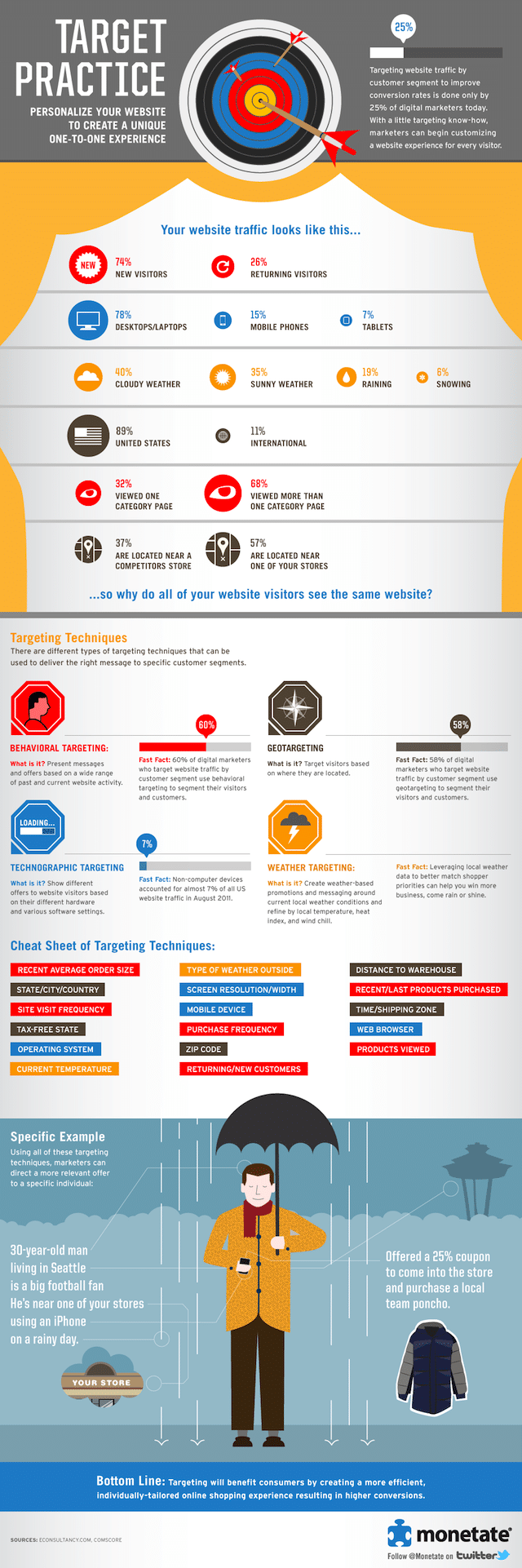
Next, one of the most important tasks is to test the site in various browsers. Sites that work fine in Chrome may have some trouble in opening pages in Firefox. And you can never guarantee which browser your visitors are likely to use. Thus, it is important that the site works fine on almost all the popular browsers. There are several free online service providers that offer browser compatibility testing across various browsers.
Also, speed up your site. With the infinite options available, Internet users are known to have little patience. In general, most of the users will wait just a couple of seconds for your pages to load. And if it fails to do so, they are likely to move on to some other site that takes less time to load.
So do not load you site with unnecessary elements that take ages to load. In addition, reduce the size of images that you are using and stay away from flash site (though they may look beautiful) as such sites take more time to load. A faster loading speed will also help you to achieve a higher search ranking.
Some other website optimization tips include:
- Highlight the popular content – Tell your visitors “what’s hot” as they visit your site. You can either brand them as Feature Articles, Popular Article or Article of the Day. This way, you will encourage the visitors to read it and thus increase your number of page views.
- Interlinking pages – It has a two way benefit. First, it will make site navigation easier for the visitors, increasing the number of pages views. Secondly, interlinking pages will distribute the link juice among all the pages, thus improving the search rankings.
- Cached pages – Serve cached versions of your website’s pages to the visitors. This will not only improve your site’s loading speed, but will also reduce the load on the web server. This, in turn, will make the website more responsive.
- Finally, don’t forget to get a decent hosting plan. With a mediocre hosting plan you site is likely to load slowly, despite all your optimizing efforts.
The basic guideline to follow when it comes to achieve more number of traffic is to create unique and fresh content. Search engines, especially Google, value sites with relevant and unique content. The more unique content a site has, the better search ranking it will achieve.
Also, translate the content into other languages to multiply your search engine traffic. Read more 21 tactics to increase your blog traffic here at SEOMoz
Key Tips to Enhance Traffic for Your Website

Without traffic you can have the best site in the world and never make a penny. There are a few ways to drive traffic through a site, but for ours we are going to focus on good old fashioned SEO. After all, who doesn’t like free traffic? I know what you are thinking..“Oh no!SEO?!Backlinking?!”
Look, whatever animal Google decides to name its newest algorithm update (Panda,Penguin,etc.) If you have a diversity of quality links you really shouldn’t have anything to worry about.
While there are a ton of “programs” out there that you can buy all claiming to drive “hungry” or “thousands” of people through your site every day. They all promise the same thing, what they deliver is usually nothing.
DON’T BUY ANY TRAFFIC GENERATING SOFTWARE!!!!
Two ways to do your sites SEO:
You can either do it yourself or outsource it. Both ways will have their own advantages and disadvantages.
Outsourcing SEO
Outsourcing SEO can save you hours of work a day but will cost you money. Yet, going this route can have its challenges as well. Finding a reputable SEO provider takes a little time. I had a project going with a SEO “Expert” that took the better part of 6 months. At the end of the 6 months my site was no better in the search rankings then where I started. I cancelled the job and requested my money back.. Did I get it?
Nope. Point of the story… do your homework on who you are hiring. You can talk with some SEO providers on the Warrior forum and see if someone can help you out. I would stay away from Freelance places for these (Freelancer, Fiverr, etc.) I just have never had any luck hiring SEO providers from these sites.
Do the SEO work yourself.
Yeah, it’s a grind, but sometimes if you want something done right you have to do it yourself. Yet, where do you begin?
This is my personal method of Backlinking /SEO. I’m sure some “gurus” could pick it apart, but it’s fairly simple has proven to provide me withresults. After I complete each review I will bookmark them to around 8 or so top bookmarking sites. The keyword I will be targeting will be model specific. So in our previous example I would be going after “Weber Q100”.
I am bookmarking the actual page of the review, not the homepage for the site. Make sure to vary your anchor text so that maybe 30% of your links are the keyword. The rest will be click here’s, the actual url, or related keywords.
Once I have my inner pages bookmarked, I will maybe add another 10-20 backlinks from various sources to each inner page.
As soon as my inner pages start to get indexed, etc. I switch over to creating a Facebook page for the business. This doesn’t work with every niche however. I mean, you aren’t going to get a ton of “likes” if you run a toilet review website. So use your better judgment here. A Facebook page that has a ton of likes can be an awesome traffic source. As far as the home page, I handle it a bit differently.
I will usually purchase a PRWeb press release and use my main generic keywords in the links of the press release. Now, it is not necessary to buy a PRWeb release seeing as to they are a little pricey, it is just what I do. There are plenty of free press release sites across the net that will still provide plenty of exposure.
Submit your site to the DMOZ directory; JoeAnt.com is a great site to submit to if you wants to spend the $39.99
Backlinking Your Homepage
How do you find quality backlinks? Well, I “de-construct” what my competition has already done. I will look up the top 10 sites and see if I can get a backlink from the same places they do.
How do you do this?
Simple! Get a free account at Ahrefs.com. Here you can plug in a competitors website and see where they have backlinks and what the value of each backlink is. You can also see their anchor texts, etc. What I do issearch through these sites and see if I can get a link with these places as well. I do this in the same way as above with varying anchor texts, etc.
As soon as I start gaining some traction and seeing some visitors, my goal switches to getting these people to “like” my associated Facebook page. A Facebook page with real likes is just as powerful as an email list if you know how to use it.
Basically, you should do as much “getting the word out” as you can. I plan to start incorporating YouTube reviews into the mix as another traffic source heading into the future.
You want to always be trying to get more traffic and create new traffic sources. If you can get 1000 people a day to your site from 10 different traffic streams you will be way further ahead. This way when Google does some new algorithm change it won’t crush your income as if you were just relying just Google itself.
How to Increase Your Blog Traffic Through Effective Web Design

A good blog design is essential in achieving your blogs potential. Web design is the first thing your visitors will see. If you want to make a good first impression, you must be sure that your design is worth the second look.
There are several websites that can help you to redesign your blog including Typepad, Squarespace and WP101. Typepad provides various blog designs and publishing. On the other hand, Squarespace is more suited for service providers and other professionals such as lawyers, doctors or educators whilst WP101 is ideal for new bloggers who run WordPress. WP101 provides video tutorials about creating, optimizing and customizing a WordPress installation.
Whilst the design of your blog is important, choosing extreme themes will not do your blog any favors. The content needs to be the focus of your blog. Inappropriate design can be too distracting. It is important to keep in mind that a great website needs to have the following:
How to Increase Your Blog Traffic Through Effective Web Design
- A Footer – In order for viewers to be able to navigate to the website with ease, footers must be implemented. Important information must be placed in your website like copyright information, links to the website of the author, as well as social media profile links and contact information where appropriate.
- sense of Uniqueness – Due to the vast number of websites on the internet, making a lasting impression is vital. Creating an aspect of your website that is unique can help people to recognize your website, generate links and help you stand out from the crowd.
Creating wonderful designs, color schemes and great images will not be enough if all of them are seemingly familiar. Needless to say, you must ensure that each element you put into your website complements each other. To design your colour palette we recommend Adobe Kuler - A Sidebar – Another important factor you should consider when developing a website is the sidebar. It is often neglected by web designers, but it can provide you the website owner many advantages including: opt-in forms, showcasing your top content, highlighting your post popular articles and promoting your products / services. Make sure that the side bar has an interesting appearance and is user friendly.
- A Place For Feedback – What others think about your website is important! You need to gather feedback on how your viewers view and interact with your website. It will provide you insight on what to improve or focus on. Knowing your weak and strong points will help you in playing the game right. Comments are one of the reasons why blog sites are popular to many individuals.
It provides the readers a platform to express their ideas and thoughts on various topics. Keeping your readers engaged is vital to the success of your website. Split testing is becoming more popular and can help you improve many website statistics including pages visited, time on site and lowering bounce rate.
A professional web design company ensures that your site is clearly available on all the major browsers such as Google Chrome, Internet Explorer, Mozilla Firefox, etc. thereby giving you the power to maintain your professional projection up in front of everybody viewing your website, and even those viewing in the less popular browsers.
3 Major Content Topics That May Drive Traffic to Your Blog
Here in this section are some of the prominent content topics that will certainly pull the visitor’s attention and grab maximum traffic you want.

After numerous posts one thing that always haunts me is my anxiety to know whether or not my posts were enough productive that I expected. With 100 of Facebook likes and 500+ tweets per post I tried to explore the key points that could make up the mind of my audience and captivate them to pause for a while on my blog or site.
There is a number of subject matter that can yield traffic for your business blog. Let me take some of the prominent topics that will certainly pull the visitor’s attention and grab maximum traffic you want.
Technical Resources:
This is seriously a great idea I bet. I am in technology domain where millions of core techniques, tools, gadgets and apps are used 24×7. If you have any good or bad experience with any of these, share with the community. I don’t think it’s a bad idea to tell your Facebook friends why an application is better than another one. If you contain a technical acumen, write a post on an application(s) that you like most. Enlist its pros and cons to the readers and tell them why you like or dislike it. Undoubtedly, it will generate good traffic to your webpage. Apps enthusiasts are everywhere.
Write Tutorial:
Do you really think that creating a Facebook profile is an easy task? I don’t think so. You can have the notion because you have 5000 friends and 1000 followers in the row but what about a newbie who is looking for his maiden date with Facebook. If you are a master, be the guide now. Write a tutorial to tell a newbie Facebook user that how he can create a worthy FB profile. It is just an instance. You can write tutorials on any technical subject matter that you find important for the readers.
Pen Down Reviews:
Do you remember the last movie you have seen or the last cell phone you dumped? It is truly a great thing to write reviews about the last movie you enjoyed. Point out the good and bad about the same so that your fellow movie enthusiasts could decide their move. How good it is if you write a blog post comparing two newly launched mobile phones. If you write it in the right context, you will certainly get a massive audience base to read it and share it.
3 Must-Have Tactics to Increase the Blog Traffic

Building a blog is quite easy now, but to build a successful blog is still tougher. It takes years to increase the traffic on a blog. However, with the advanced technologies the growth of the blogs is faster and easier nowadays.
You might be thinking that there is an art to increase a blog’s traffic; well it is not the case. Some particular tactics seriously work for the successful bloggers. Well let us share them to benefit the independents folks or who might be interested to make money online, even the marketing professionals and the startups.
Make Your Content Reach the Audience Who Will Share Them Instantly
When you strategize the method to try your writings, consider your reader’s ability to spread the content. Some readers are there who will regularly promote your items, but other than those readers – web communities, topics, writing styles and content types regularly play a better chance.
Contents like an infographic, beautiful story telling videos, or a remarkable collection of facts and assumptions all helps to reach the target audience and get the share platform easily. If your readers are active enough, then you are likely to get larger share and that mean larger audience. Targeting the content to a less-likely community may not be a bad decision but it will in turn decrease the propensity of your blog.
Engage With Those Communities Where You Have a Large Audience
For making your blog successful, you do not have to spend a dime to figure out where the larger number of audience can be found on the web. You may be well acquainted with the forums, blogs, websites and social media platforms where discussions and content are being posted on your topic. That is the list from where you can expand the audience just using some web-based tool like DoubleClick’s Ad Planner.
Once you are able to find where the audience gather in large numbers, you can start participating. It is better to create an account, read out what others have written down and do not jump in the conversation until you have the good feeling on what is appropriate and what is not.
It is good to be a web-citizen and maintain the manners and soon you will be rewarded with traffic, trust and fans. In some cases, you will get a quick boot with link-drop, spam or troll, but that gains a negative reputation as a blogger. Therefore, you must avoid it.
Use the Social Media Platforms to Share and Post Your Contents
Have you ever checked out the number of visitors in the popular social media platforms? Here it is:
- 1. Twitter – 465 million
- 2. Facebook – 850 million
- 3. Google Plus – 100 million
- 4. LinkedIn – 130 million
Together these social networks are attracting vast amounts of audience. These sources are likely to spread the word about your content to their friends though the social media sites.
You have to stay patient, study and pay attention to the changes by the social sites and consider what to share and how to do it. Then I have something in store for you all: register yourself at the popular social sites like –Twitter, Facebook, LinkedIn and Google Plus. Apart from a personal account have a business account or a page.
Fill up the business profile account with all details. Use your photos, descriptions, since profiles with more information is a sign of successful account. To connect the sites with which you share the personal or professional relationship.
Start sharing content with those who have impressed you. Just remember that social networks are the amazing platform to build the brand and familiarize with a topic and the people around them.
Employing a strategy of participation, making a positive and memorable impression will help to drive larger traffic to your blog or website. Guys, if you think to drive a large traffic to follow your blog then employ any of these three ways any time soon for best results.
Ways to Increase Blog Traffic Fast
Every blogger’s dream is to have a steady flow of traffic every single day! While that is no gold-digger’s empty aspiration, it takes some real hard work and effective strategizing to achieve it. In this post, we will talk about some ways in which you can get higher online traffic on your blog quicker.
To begin with, you have to explore the possibilities of long-tail keywords. These can be tracked through two avenues, both available on Google Analytics. One is the Organic Search Traffic Data and the other is Top Landing Pages Data.
Use Long tail keywords
By using the long-tail keywords relevant for your content, you have to brush up your content. The competition on these long-tail keywords is low and you have better chances of hitting the high-traffic zone. Other than the content of your blog, you need to fine-tune your on-page optimization. It is better to think of the basics here rather than all the fanciful stuff that comes to the mind! Stick to a bank of about 20 keywords and work on them. Increase the search availability of your blog by optimizing your blog pages with these keywords.
Write Effective Title Tags & Meta Descriptions
Now, it is turn to make some minor tweaks here and there. For example, work on your title tags and meta descriptions. Put those long-tail keywords to good effect here. You will find that they will pay greater dividends than just using generic keywords that are much overused by your competitors anyway. Learn how to write killer title tags?
Internal Linking
Another way to increase your blog traffic is to make more content visible to the online readers. You can do that through internal linking. This will increase your page-views and make it easier for readers to find additional content.
Link Building & Social Sharing , Social Promotion
Once you blog has done all these rigors, it is now the time to reach out to the maximum number of online readers. You are doing it partially through SEO efforts. Add social media networks to the mix. Share your content on Twitter or Facebook and also provide sharing buttons on your content for readers to do so as well.
You can make use of StumbleUpon and Digg to make a better case for your content’s reach. However, on doing so, your battle is far from over! You have to keep updating your content by closely tracking keyword trends on Google. Keep optimizing and you will ensure heavy traffic to your blog consistently.
Learn also how Google adsense can indirectly help you to get more traffic.
Read more about how to engage your website visitors, how to analyze your backlinks and how to grow your Facebook traffic
10 Things You Can Do To Get Traffic Right Now
Get a few fundamental tips on how to get traffic for your website. Getting quality traffic is very important for any web business to succeed..

Everybody wants to have much traffic on their sites and blogs. SEO technique will create something for you but it is time taking. So the question arises that what we can do to get traffic immediately on our blogs and sites. So, just follow these 10 points and get traffic right now.
Key Points:
Positive Attitude:
Your “Can Do” attitude will make you a successful blogger or a web-host. Most people make websites or blogs, then without doing much for their site and wait for something to happen. If this is your attitude, then please move away. If you are serious in making money through your site then get up and go for kill.
Post on daily basis:
It is much required to post your materials on daily basis. Update your contents, edit them and do whatever you can to attract the visitors. If you are working on a day-to-day plan, then it will only take hardly about 2 to 3 hours a day to maintain your site. It will save your time and also bring traffic to your site because when people see daily different posts then they will definitely come.
Free Ads:
There are many sites from which you can select free ads. Make a list of free ads and post those ads which are related to your content.
Getting free and paid links:
It is good to use free as well as paid links. Both of them surely help you in getting traffic but paid links are in much demand.
Adding your URL:
It is the best way to make traffic. Post your URL to different marketing places. Post your URL on Facebook, Twitter etc. It is just a matter of posting your URL to any place and it will generate traffic for you.
Sending mails:
It is also helpful to have a list of those targeted people who have visited your site and requested you to provide them information about your slot. So it is very beneficial to mail the list of the interested people.
Google Adwords:
The speedy way to get traffic is to start the campaign of Google Adwords. It will help you a lot.
Guest Posts:
Guest Posts are also very favorable for you. Having such a post on your blog which is originally published on a popular blog is itself a traffic generated tool for you. So, it is advantageous for you to have such blog’s link on your blog.
Video Marketing:
The second largest search engine is Youtube. To get more traffic, you can post your videos in reply to other videos. This would help you a lot in getting more visitors. You can do this on Youtube as well as on DailyMotion and MetaCafe.
Related Reading: Best Video Marketing Tips
Never become inactive:
For getting higher number of traffic, you must have to remain active. Just keep yourself motivated and it will surely drive you away.
In short, the art of getting much traffic is only possible when you want to do something new always.
Getting niche traffic through Social Media
Social media has donned the role of a virtual connector today. Here is how you should go about driving traffic from your social profile to your own website.

Social media has donned the role of a virtual connector today. Not only it also serve as a platform to converse and interact, but it also provides a point of convergence to diverse groups with varied opinions. Considering the massive impact that social media has had on people’s lives, it only seems to be the finest choice for web promotion.
Nonetheless arranging for a mechanism, that help direct niche traffic through social media, is not an easy task. It requires a certain amount of meticulousness coupled with utmost precision. Here is how you should go about driving traffic from your social profile to your specialized website.
Make it real–
The first step to garner public confidence is to make a real profile. Most business owners prefer to prepare a fake account and literally bombard people with spam promotional messages. Undoubtedly, these businesses suffer incredible losses and are often blocked! Thus, you need to begin as an authentic person who is accessible and communicative. This will help you build online relationships and lend you immense credibility.
Converse–
Do not turns your profile pages into virtual monologues. No one is interested to merely read what you have to say and get no response in return. So, make it a point to converse with your online friends and followers often. Respond to their queries and have them participate in a well-channelized feedback process. This way, you can politely persuade them to promote your website on their pages too.
Get inclusive–
In a subtle and covert manner, promote inclusiveness to entice people into visiting your blog or website. Place your web links judiciously in your content and promote them through your profile. When people will begin to know you, they will have reason enough to click through these links and browse your site.
More so, the inclusion must not be discriminatory. Put forth a promise to offer free solutions to everybody. This will turn out to be a big boost for your growing network.
Share content–
Sharing good content and relevant information online, goes a long way in helping people associate and identify with you. Building networks is certainly necessary, but not at the cost of content quality. So, link the various accounts you have on different social media and place some neat content on them. Through your content, let people know what you truly stand for.
Optimize–
Once you have firmly established a hold over various social media by having active and indulging profiles, begin optimizing your networks. Submit your links to search engines and let them be a votary of your reliability. Nothing works better than being socially active and publicly searchable. The duality of these processes will surely help you maintain a thriving virtual network.
By following the tips mentioned above, you will definitely be able to develop a niche audience for yourself which, with time, will get transformed into consistent web traffic. After all, social media is set to grow tremendously in the upcoming future and now, indeed, is the best time to get indulged and engaged.
YouTube: A Good source to attract traffic

We still have doubts that whether YouTube can do good to our website or not! Well it does generate traffic towards your website despite of its disadvantages which I will mention later. So it is definitely worth giving a try uploading videos on youtube for traffic as YouTube is the 2nd largest search engine after Google.
And it is definitely not surprising because we ourselves know how many times we visit YouTube in a day and that serves the answer of why YouTube is the second largest search engine. And not only company even individuals can generate traffic by uploading videos and as a starter you can even upload videos shot by mobile camera but I will not advise that for medium /big companies though because it will simply not create the impression on the viewers. And the best part is you can make money out of it even if you are uploading videos as individual for fun purposes. How? I will explain now.
All you have to do is become a partner of YouTube. And yes for that you do require a minimum eligibility and that is you need to have 100 of subscribers of your YouTube channel and thousands of views and then you can apply for being a partner. And the income you generate will totally depend on your subscriber base and YouTube channel view. So if both the factors mentioned are good then you can expect good income. One example of success story will be the video of “Charlie bit my finger” which generated more than $200,000 from YouTube. Isn’t that amazing? Well yes it is.
And apart from that the other ways of generating traffic to your websites are a good quality video as they do make an impact on the viewers because no one will love to see something which is not eye soothing so try and put atleast 320 x 240 pixel resolution video at 512 kbps and also choose the category of your video rightly. And don’t forget to place the name of your website on the video if promoting website and make sure the keywords are relevant to what you are uploading.
And the last part is whatever the kind of video you upload irrespective of your website promotion or just video promotion please share it with your friends, family , acquaintances and even competitors online on social media or by mail and offline so that that you can get more and more views.
So as we know it is all good about YouTube but we do miss on some factors which are very basic and should be kept in mind before you upload any video be it for any purpose. First you give away rights of your videos when you upload them not just to YouTube but also to people who are using YouTube and anything can be done with the videos because they are not secured and can be downloaded by anybody.
Secondly it is YouTube which is making the most of money from your video not you but yes if you can ignore that fact thinking that it gave you the platform to showcase you video then it is all fine.
And third factor is for brands who are trying to create impact on big customers and the factor will be some big brands will not find “you approaching YouTube for hosting your video” is grand. (Though this % is small but still such biggies are there who prefer self hosting of videos!!)
And to end with it if you are okay with the above factors mentioned then do go for YouTube as it is indeed profitable.
Gain the power to attract more people online through inbound marketing
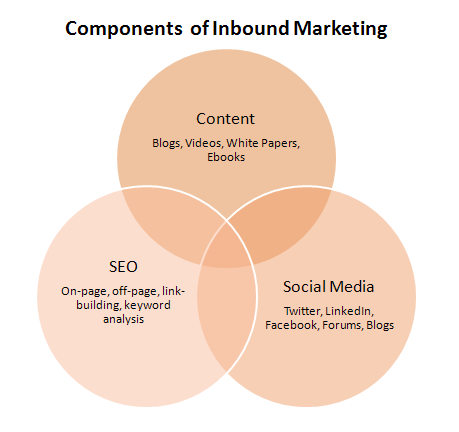
Technology is amazing. With the internet, we can be connected to all sorts of people from all over the world with a click of a button. Every day, it seems that the world is getting smaller with every connection we make. The same can be said for businesses.
The internet has provided an almost infinite pool of prospective customers who are just waiting to know about your service or product. But with the ability to connect too many people, comes the waning of traditional marketing’s effects.
With traditional marketing results getting worse as technology gets better, businesses are also getting wiser in choosing strategies and tactics that fit their budget while bringing in customers.
Inbound marketing is starting to become the choice for getting customers as opposed to using the traditional outbound marketing methods such as seminars, banner advertising and telemarketing that people generally avoid. People learned that they can choose to be educated in the internet at their own time instead of accepting outbound marketing ploys that are more intrusive than helpful.
Inbound marketing, if done right, can be viral at less cost and can earn dedicated customers in the long run. The inbound marketing process of getting leads can be summarized in two steps: gaining visibility and converting prospects into customers. Before people discover how your company can answer their needs, they must learn about you first.
This is primarily done through search engine optimization (SEO) and the use of social media. SEO involves using keywords where search engines would find them most effectively and management of content to be able to show up high in the search engine page results. Social media is useful for informing a significant number of people who might be receptive to your product.
In addition, social networks support a two way communication process between you and your audience which is very helpful in improving your marketing strategies while informing your audience that you care about their problems and that you might just be the answer to their prayers.
Once your target audience is captivated, they should be ready to be converted into customers through different medium that calls them to action. This can be achieved through an intelligent design of web pages, particularly landing pages and emails. The key to this step is to encourage customer commitment by giving them an idea of what value-laden product or service they will receive once they perform a favorable action.
Like most strategies that do work, a good feature of inbound marketing is that it is very adaptable. There are literally thousands of inbound marketing help pages that one can learn from to be applied to most business models. It is also flexible in that analysis of your daily performance enables you to put numbers into interpretations that improve your inbound marketing process.
In the age of the internet where businesses can easily forge relationships with prospective customers, inbound marketing provides a smarter and powerful way of gaining your customers online. And with results that indicate a paradigm shift in marketing, there’s no better date to start than today.
Untapped but Useful Sources of Online Traffic

Looking for online traffic? In digital marketing, just like any other form of marketing, grabbing eyeballs is everything. Having the best website amounts to little when there are not many people visiting your website to check things out! The way out is to make sure you are leaving no stone unturned in getting as many online visitors as you possibly can.
SEO and digital marketing professionals are always on the lookout to grab more visitors. There are the traditional sources of getting online traffic, like ranking at the top of the heap in SERPs. However, to edge out competition, you need to look beyond the tried and tested route. We did just that and here’s what we found!
The Usual Sources of Online Traffic to a Website
Look at LinkedIn.
This professional networking site is mainly slated to be a job-searching platform. Truth be told, millions actually search for and find jobs on LinkedIn. But is that the end of this platform? Far from it! LinkedIn is so much more than a job-hunting ground. It has a feature to post content, tagged ‘Create a Post’. What does that mean for you, digital marketer?
A clear ground for you to publish your content, share it with other professionals on the network and basically reach out to a whole new group of online users. Think what it can do for the online traffic leading to your website!
Have you tried asking or answering questions on Quora yet?
You can definitely look into that. A lot of digital marketers develop How-to pages in order to tap potential online users looking for some quick answers and guidelines. Quora is on the same page as Yahoo! Answers. The difference is that Quora has a lot of more potential of making your post visible to visible to a wider network of users.
The stay-time of a Quora question or answer is a lot more than a closed circuit like Yahoo! Answers. To put that information in figures, you are exposing your question or answer to an online viewership of 1.5m to 3m! a fraction of that number, if it translates into traffic, will spell gold for your website.
Now that you are all geared to take up Quora, here’s another website that is screaming for the attention of digital marketers: Reddit. Reddit is a social platform where the users ‘upvote’ or ‘downvote’, depending upon the likeability or otherwise of a published post.
Of course, there is the option of sharing the post with other like-minded users of Reddit. The question in the room now is, how many users are we really talking about here? If the numbers on Quora bagged your attention, this one will floor you: Reddit has 174m unique visitors every month!
Are we talking sense now? There are more than 8000 communities that are currently active on Reddit. It is a sitting beehive that can be mobilized to your advantage, like President Barack Obama did during the elections of August in 2012.
Content aggregators can provide you the big ticket to online traffic nirvana. Aggregators compile and syndicate content on various topics. For example, Huffington Post. Anyone can submit content to the content aggregators. Usually these aggregators have an astounding number of people surfing through their websites.
The sheer range of topics ensures that there is never a shortage of online users trooping in to read posts. Submit your content on any of these content aggregators and you can surely expect some quality link juice flowing into your cup.
Got some other ideas of sourcing online traffic? Share it with us and our readers!
You Need People, Not Merely Traffic
The number of online visitors coming to your website or blog is often termed as traffic. Traffic consists of a heterogeneous group of online users who are coming to your page for various reasons: some are curious about your products and services, some want general information, some want to establish business contacts with you while there are also some who have gate-crashed without meaning to!
Online campaigners who cannot differentiate between visitors who add value to your online business and those who just make up the numbers are working with blinkers on.
Having a high value online traffic will mean nothing for your business unless they are engaging with your brand in some way. You can very easily hike up the number of ‘friends’ or ‘likes’ you have on Facebook or shore up the list of ‘followers’ on Twitter, but that will amount to little if these numbers do not transform into online leads.
Reaching out to a wide network of online users is important but more than that, you have to make an impact. You need people who are not hiding behind the veil of numbers but coming out to voice their opinions or buying from you.
Take for example the most popular blogs on the internet. You will be surprised how many of these have a single writer churning out content. Why are they not hiring more of their kind and increasing the content volume? Because they don’t want to compromise on the quality of their blog!
The readers are coming to their blog due to the uniqueness of the content. If these bloggers (some of them reaping handsome monetary rewards because of their work!) hired other writers, their readers will cease to feel the connection and the content will lose its impact.
You have to cultivate a base of dedicated readers who like and share on content on a daily basis. That is the only way to swell up your reader base. In the age that we are now, with so much of forced online marketing and spamming, no one will share your content if you ask them to.
Rather, appeal to their senses by generating content that interests them. They will surely put in their word of appreciation to their friends about your content. This trust between you and your readers is the future of online marketing, not the number of unique visitors that Google Analytics track everyday!
Visual Content for Winning Traffic

It is not only the documents in black and white that is conceived as the content of a site. The digital marketing world these days demand higher quality content on each page of a site that can attract the attention of visitors and hold it for a considerable amount of time. Infographic is among the very new and effective components of online search engine marketing.
ATTENTION:
Even a mention of this word reminds you of the magic it used to create in the grayish part of your brain during the school days. Your marketing components on every page should have the same effect on site-visitors. The onset of a digital world started diminishing attention span by hours, minutes and seconds.
The biggest challenge online marketing faces is probably grabbing and keeping the attention of visitors. A lot of hard work goes in the efforts to hold the attention of internet users for a few seconds. Even the smartest online marketing budget cannot afford bounce rate. Graphics of great quality and eye-catching visuals have the power to grab and retain the attention of visitors.
SHARE:
The present day social networking site users know how important and how much fun sharing online content is. If there are enough amounts of fun, wit, information and intelligence in your sharable visual content or infographic, it will compel a large number of netizens to share it on their timelines.
Interesting visual contents on serious, sometimes political affairs reflect professionalism as they encase serious political information in interesting package. It is quite difficult to attract as large traffic and increase the conversion rate as much only through text format of site-content.
EYE-CATCHING:
It is a proven fact that it takes a lot of effort to keep a readers glued to a block of text. In order to encourage them reading an entire text, site owners burn a lot of their mid-night oil. It has become necessary these days to put in a bunch of graphs, visuals, charts and images to pep up a written content.
It is a fast world where marketing has to work immediately or the efforts will go down the drain. Nothing can make it happen faster than visual contents on a page.
Summary
If you’re hoping to attract more visitors to your website, there are a number of things you can do.
- One way to increase traffic is to optimize for search engines, which will help your site appear higher in search results.
- Another way to draw in visitors is to create compelling content that educates, entertains, or both.
- You can also promote your website through social media, email marketing, and online advertising.
By taking a multifaceted approach to website promotion, you’re more likely to see a significant uptick in traffic.
Related Reading:
- How to increase Facebook Traffic?
- How to engage users on website
- How to analyze backlinks
- How to do guest blogging?
Learn digital marketing. Seven Boats Academy offers online digital marketing class, digital marketing course in Kolkata & digital marketing workshop for students, professionals & entrepreneurs/organizations.